AI search performance tracking measures how often your website and brand appear in AI-generated answers across platforms like ChatGPT, Google AI Overviews, Perplexity, and Gemini. When someone asks ChatGPT “what’s the best Excel plugin for SEO,” the AI doesn’t dump a list of links—it writes one synthesized answer and cites sources. Your goal is to be one of those cited sources. Unlike traditional SEO where you track ranking positions on page one, AI search tracking focuses on brand mentions, citations, and overall visibility inside generative AI responses.
If you’re wondering whether your content shows up when people ask AI engines questions, this guide gives you the exact framework. You’ll learn what to measure, which tools actually work in 2026, and how to set up tracking without getting lost in buzzwords or overly technical jargon.
What Exactly Is AI Search Performance Tracking?
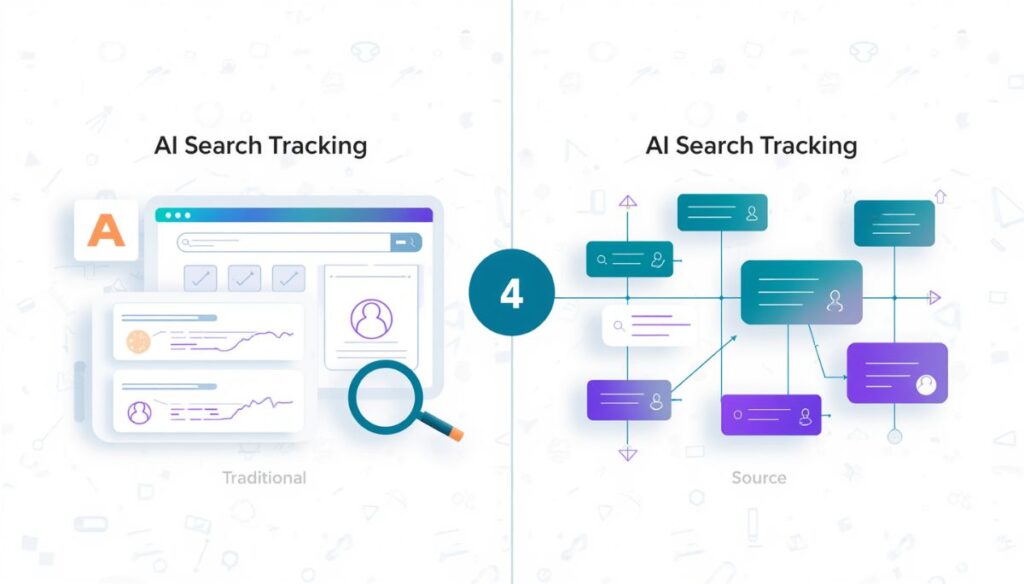
AI search performance tracking monitors your brand’s visibility in AI-generated answers instead of traditional search results pages. The fundamental difference: traditional SEO assumes users click through links from search results. AI search assumes users get answers directly and might not click at all.
Think about it this way. In classic Google search, you optimize to rank #1 for “best project management software.” Users see 10 results, click yours, and land on your site. In AI search, someone asks ChatGPT “what’s the best project management software for small teams?” ChatGPT writes one answer comparing three tools and cites your article as a source. You might get traffic from that citation, or the user might just take the answer and leave.
Here’s how AI search tracking differs from classic SEO in practical terms:
| What You Track | Classic SEO | AI Search (GEO) |
|---|---|---|
| Main metric | Where you rank on page 1 (position #1, #2, #3) | How often AI mentions your brand in answers |
| What matters most | Backlinks from other websites | Citations inside AI-generated answers |
| How you measure success | More organic traffic from rankings | Higher share of AI citations vs competitors |
| Tools you use daily | Google Search Console, Ahrefs, SEMrush | GEO tracker + Google Analytics 4 |
| What users see | 10 blue links in a list | One synthesized answer with embedded sources |
| Where traffic comes from | Direct clicks on your ranking | Clicks from AI citations (often lower volume but higher quality) |
This shift demands new metrics and completely different tracking methods. You can’t just plug your old SEO dashboard into AI search and expect it to work.
Why You Should Care About AI Search Tracking in 2026
The numbers tell a clear story that every SEO professional needs to understand:
- Organic click-through rate dropped 61% for queries showing AI Overviews (down from 1.76% to just 0.61%)
- Overall search traffic fell 42% by Q4 2025 compared to before AI Overviews existed
- 58% of consumers now use AI tools for product recommendations before buying
- ChatGPT referrals jumped to 10% of new user sign-ups, up from less than 1% just six months earlier
- Traditional organic traffic is projected to drop 50% by 2028
Google expanded AI Overviews in May 2025, which accelerated these declines significantly. By September 2025, AI Overviews appeared in 28% of US searches.
If you’re not tracking AI visibility, you won’t know where your brand stands while competitors build citations and trust. More importantly, you won’t see the traffic coming from AI engines because it looks like regular referral traffic unless you set up proper filtering.
The 8 Metrics That Actually Matter for AI Search Performance
1. Citation Frequency
How many times your brand or website appears as a cited source in AI answers. More citations usually mean the AI sees your content as authoritative for that topic. This is the closest equivalent to “ranking position” in AI search.
Practical example: If you track 50 keywords and your brand appears as a citation in 15 AI answers, your citation frequency is 30%.
2. Total Brand Mentions
All mentions across AI platforms, whether they include a clickable link or not. Unlinked mentions still build brand authority even if they don’t send direct traffic.
3. AI Share of Voice
Your slice of citations compared to competitors for the same questions. This metric tells you whether you’re winning or losing attention in AI search. Here’s how to calculate it:
AI Share of Voice=Your Brand MentionsTotal Competitor Mentions×100AI Share of Voice=Total Competitor MentionsYour Brand Mentions×100
Example calculation: If you get 12 citations and your three competitors get 8, 10, and 6 citations respectively, your share of voice is:
1212+8+10+6×100=1236×100=33.3%12+8+10+612×100=3612×100=33.3%
4. Sentiment Score
Whether AI mentions describe your brand positively, neutrally, or negatively. Being mentioned isn’t enough—the context matters. If Perplexity cites your article but says “according to X (which has outdated data),” that’s a negative citation even though you got mentioned.
5. Geographic Performance
How your visibility breaks down by region. AI answers differ depending on where the user is located and what language they use. A brand might have 40% citation frequency in the US but only 8% in Europe.
6. Referral Traffic from AI Engines
Sessions in Google Analytics 4 where users came from chat.openai.com, perplexity.ai, gemini.google.com, or similar AI domains. This is the only metric that directly shows revenue impact.
7. Average Position in AI Results
Some tools track where your content appears within AI-generated answer blocks (first citation, second citation, third citation, etc.). Being the first cited source usually means more visibility than being cited fifth.
8. Link Attribution Rate
What percentage of your brand mentions include clickable links versus unlinked text references. A 100% link attribution rate means every mention sends traffic. A 40% rate means most mentions are just brand name references.
Tools That Actually Work for Tracking AI Search in 2026
Free vs Paid Tools: What You Get for Your Money
Choosing the right tool depends on your budget and how many AI platforms you need to track. Here’s what’s available:
| Tool | Cost | AI Platforms Covered | What It Does Best | Who Should Use It |
|---|---|---|---|---|
| Similarweb AI Traffic Checker | Free | Multiple engines (ChatGPT, Perplexity, Gemini, etc.) | Shows AI traffic by platform, top pages getting AI traffic, and prompts driving visits | Quick domain analysis when you need fast data |
| SE Ranking AI Visibility Tracker | Paid ($99–$299/month, 5 free checks/day) | Google AI Overviews, AI Mode, ChatGPT, Gemini, Perplexity | Brand mentions across 5 platforms, links in answers, historical trends, API access, MCP integration for Claude/Gemini | Teams wanting comprehensive tracking without managing multiple tools |
| AEO Engine AI Visibility Audit | Free | ChatGPT, Perplexity, Google AI Overviews, Gemini, Claude, Bing Copilot | Free audit across 6 platforms, basic mention tracking, no historical data | Beginners testing the waters before investing |
| Beamtrace Perplexity Tracker | Free | Perplexity only | Tracks brand mentions inside Perplexity answers, shows surrounding context for each mention | Perplexity-focused marketers who need deep insight into one platform |
| SEMrush Position Tracking | Paid ($119–$399/month) | Google AI Overviews only | Finds AI Overview citations, tracks position within overview, integrates with SEMrush dashboard | Existing SEMrush users who want AI features in their current workflow |
| Ahrefs Brand Radar | Paid (requires $99/month+ subscription) | Multiple platforms | Identifies co-mentioned brands, cited sources across queries, sentiment analysis, competitive positioning | Competitive analysis teams with budget for enterprise tools |
| Google Search Console | Free | Google AI Overviews, AI Mode | Includes AI Overview data in Performance report under “Web” search type | Anyone with a website who wants official Google data |
Tool Recommendations by Budget Size
If You Have Zero Budget (Startup or Side Project):
- Similarweb AI Traffic Checker for domain-level analysis
- AEO Engine AI Visibility Audit for multi-platform baseline checks
- Google Search Console for official Google AI Overview data
- GA4 manual filtering for AI referral traffic tracking
This combination gives you 80% of the data paid tools provide, but requires more manual work.
If You Can Spend $50–150/month (Growing Business):
- SE Ranking AI Visibility Tracker for comprehensive multi-platform coverage
- Beamtrace Perplexity Tracker free tier for Perplexity-specific deep tracking
This setup balances cost with automation, saving you 5–10 hours per week on manual tracking.
If You Have Enterprise Budget ($200+/month):
- Ahrefs with Brand Radar for deep competitor analysis and sentiment tracking
- SEMrush Position Tracking with AI features for Google AI Overview focus
- Custom Looker Studio dashboard pulling API data from multiple sources
Enterprise setups justify the cost through team collaboration features, API access, and consolidated reporting.
Your 7-Step AI Search Tracking Setup (Follow This Order)
Step 1: Pick Your Keywords and AI Platforms
Start with 10–50 keywords where AI citations matter most for your business. Don’t track everything—focus on what drives decisions.
Focus on question types AI engines love to answer:
- “How to…” tutorials (e.g., “how to fix WordPress 404 errors”)
- “What is…” definitions (e.g., “what is canonical URL”)
- “X vs Y” comparisons (e.g., “Shopify vs WordPress for ecommerce”)
- “Best tools for…” lists (e.g., “best SEO tools for small business”)
These query types get AI answers 3–5x more often than transactional queries like “buy SEO software.”
Then decide which AI platforms to track first. For most businesses, this priority order makes sense based on traffic volume and user intent:
- Google AI Overviews (biggest audience, 28% of US searches by September 2025)
- ChatGPT (fastest-growing traffic source, 10% of new sign-ups)
- Perplexity (research-heavy queries, high commercial intent)
- Gemini (connected to Google’s ecosystem, growing adoption)
- Claude (enterprise and B2B users, lower volume but higher value)
Practical tip: Start with just Google AI Overviews and ChatGPT. Add Perplexity once you’ve built baseline tracking for the first two.
Step 2: Enable AI Overview Data in Google Search Console
Beginning in June 2025, Google Search Console started including AI Overview data in the Performance report under the “Web” search type. This is official Google data, so it’s more reliable than third-party estimates.
Here’s exactly how to find it:
- Open Google Search Console and select your domain
- Click Performance in the left-side menu
- Make sure “Web” search type is selected at the top (not Image or Video)
- Scroll down to the Search Appearance filter section
- Look for “AI Overview” as an option in the dropdown
Important limitation: Search Console doesn’t separate AI Overview impressions or clicks from regular search results yet. AI Overview traffic is blended into your overall search traffic numbers, so you can’t see AI-specific metrics directly. You’ll need GA4 filtering for that.
What you can track in GSC:
- Which queries trigger AI Overviews for your site
- Overall performance trends when AI Overviews appear
- Comparison of AI Overview queries vs non-AI queries
Step 3: Set Up GA4 to Catch AI Referral Traffic
AI engines send traffic to your site just like any other referrer. ChatGPT shows up as chat.openai.com in Google Analytics 4. Perplexity shows up as perplexity.ai. Without proper filtering, this traffic looks like random referral traffic and gets ignored.
How to find AI traffic in GA4 step-by-step:
- Go to Reports → Realtime in your GA4 dashboard
- Look at Traffic sources section for
chat.openai.com - If you see it, AI traffic is already being tracked
- For historical data, create a Custom Exploration:
- Click Explore in the left menu → Blank exploration
- Add these dimensions: Page referrer, Landing page, Session source
- Add these metrics: Sessions, Users, Engaged sessions, Conversion rate
- Add a filter: Page referrer contains
chat(dot)openai(dot)com
Copy-paste this regex expression to capture all AI traffic in one segment:
(.gpt.|.claude.|.chatgpt.|.openai.|.neeva.|.writesonic.|.nimble.|.outrider.|.perplexity.|.google.bard.|.bard.|.edgeservices.|.gemini.google.)
Add this regex to your GA4 custom filter as a “contains” rule to group all AI referral traffic together. This one pattern catches ChatGPT, Claude, Perplexity, Gemini, and even older AI tools like Bard.
Important limitations to watch for:
- Browsers and privacy tools (like Privacy Badger or Brave) sometimes block referrer data entirely
- Mobile app traffic from ChatGPT doesn’t pass referrer information, so you won’t see it in GA4
- GA4 data typically appears within 24–48 hours, not instantly
- Small volumes of AI traffic might get grouped into “direct” traffic if the referrer is blocked
Advanced setup: Create a GA4 audience with Page referrer containing chat(dot)openai(dot)com for remarketing campaigns. This lets you target users who came from ChatGPT with specialized ads.
Step 4: Run Your First AI Visibility Audit
Start with free tools to establish your baseline before investing in paid software. This gives you context for whether paid tools are worth the cost.
Using Similarweb AI Traffic Checker (free):
- Go to the Similarweb AI Traffic Checker website
- Type in your domain name (no login required)
- Review the results showing:
- AI traffic broken down by engine (ChatGPT %, Perplexity %, etc.)
- Your top pages getting AI traffic (which content works best)
- Prompts that drive visitors to your site (what questions mention you)
Using SE Ranking Free AI Visibility Check (5 checks/day):
- Visit the SE Ranking AI Visibility Tracker page
- Enter your domain in the search box
- Review the dashboard showing:
- Brand mentions across 5 AI platforms (total count)
- Links appearing in AI answers (clickable citations)
- Your average position in AI results (1st citation, 2nd citation, etc.)
- Historical trends over time (upload button for tracking)
You get 5 free checks per day, which is enough for weekly monitoring of one domain.
What baseline metrics to record:
- Total brand mentions across all platforms
- Percentage with links vs without links
- Top 3 platforms where you appear most
- Your average position across all citations
Step 5: Monitor Brand Mentions Across Each AI Platform Separately
Different platforms require different tracking approaches. Here’s the most effective setup for each:
For Google AI Overviews:
- SE Ranking AI Results Tracker shows mentions and links in overviews
- SEMrush Position Tracking flags AI Overview citations with position data
- Manually search your top 20 keywords and watch what AI Overviews display (free but time-intensive)
Key insight: AI Overviews only appear for certain queries, not all searches. Focus on informational queries where Google triggers overviews frequently.
For ChatGPT:
- GA4 custom filtering as shown in Step 3 tracks actual traffic
- SE Ranking AI Search Competitive Research compares your visibility to competitors
- Manual prompt testing: ask ChatGPT 10–20 questions in your niche and record which sources it cites
Reality check: ChatGPT referral traffic volume is low (often 10–50 sessions/month for mid-size sites) but engagement is high—users spend 2–3x more time on site than organic search visitors.
For Perplexity:
- Beamtrace Perplexity Brand Mentions Tracker is free and shows context around mentions
- SE Ranking Perplexity Visibility Tracker offers dedicated monitoring with historical data
- Govisible.ai Perplexity Tracker provides alternative tracking with audit features
Why Perplexity matters: Perplexity users ask research-heavy questions with high commercial intent. A citation here often leads to purchases, not just reading.
For Gemini and Claude:
- SE Ranking AI Visibility Tracker covers both platforms in one dashboard
- DemandMetrics GenAI AI Visibility tracks 10+ LLMs including Gemini and Claude
Platform nuance: Gemini connects to Google’s ecosystem (Workspace, Android), so citations here reach enterprise users. Claude targets B2B decision-makers, so citations here have higher lifetime value.
Step 6: Compare Your Visibility to Competitors (Benchmarking)
You don’t know if your AI visibility is good or bad until you compare it to others in your space.
How to benchmark against competitors effectively:
- List 3–5 main competitors in your niche (the ones you already track in regular SEO)
- Use SE Ranking AI Search Competitive Research module to analyze all of them together
- Analyze these three critical areas:
- Co-mentioned brands: Which brands appear when your brand appears? (e.g., if you’re cited for “SEO tools,” does Ahrefs also get cited?)
- Cited sources: Which pages do AI engines cite most frequently for your target queries?
- Comparison queries: Where do you show up in “X vs Y” AI answers? (e.g., “SE Ranking vs Ahrefs”)
Track these competitor metrics side by side in a spreadsheet:
| Metric | Your Brand | Competitor A | Competitor B | Competitor C |
|---|---|---|---|---|
| Citation frequency (last 30 days) | ||||
| Brand visibility score (tool-specific) | ||||
| AI share of voice (calculated %) | ||||
| Sentiment (positive/neutral/negative ratio) | ||||
| Geographic performance (top 3 regions) |
Critical insight: When a competitor gets mentioned more often, cited more frequently, or framed more positively in AI answers, they capture attention and trust before searchers even discover your brand. This is especially dangerous for new customers who haven’t heard of you yet.
Actionable benchmark: If your citation frequency is below 20% of the top competitor’s frequency, you need to prioritize AI visibility optimization.
Step 7: Build Reports That Show Real Progress (Not Just Data)
Raw data without context is useless. Build reports that show trends, comparisons, and actionable insights.
Using Google Sheets + Looker Studio for automated reporting:
- Use SE Ranking MCP server integration to pull live SEO and AI data directly into ChatGPT or Claude
- Export the data to Google Sheets (automated via API or manual download)
- Connect Sheets to Looker Studio (free Google tool)
- Create a dashboard showing:
- AI traffic trends over time (line chart with 30/60/90-day views)
- Brand mention count by platform (bar chart comparing platforms)
- Competitor comparison charts (side-by-side bars)
- Citation frequency heatmap by keyword (color-coded grid)
Include these specific sections in your monthly report:
- AI traffic from ChatGPT and other engines (pull from GA4 with custom filter)
- Brand mentions across all platforms (from AI Visibility Tracker dashboard)
- Share of voice vs top 3 competitors (from Competitive Research module)
- Top 10 pages receiving AI traffic (from Similarweb domain analysis)
- Citation quality assessment (manual review of 20 random citations)
Report frequency: Weekly reports for high-competition niches, monthly reports for stable niches.
Platform-by-Platform Tracking: What Works Where (and What Doesn’t)
Tracking Google AI Overviews
Best tools for this specific platform:
- SE Ranking AI Visibility Tracker (most comprehensive)
- SEMrush Position Tracking (best for existing SEMrush users)
- Google Search Console Performance report (official Google data)
What makes AI Overviews tricky to track:
- AI Overviews only appear for certain queries, not all searches (roughly 28% of US searches as of September 2025)
- Traffic blends into overall Search Console data instead of separating out, so you can’t see AI-specific clicks
- AI Overviews expanded in May 2025, causing significant CTR decline for affected queries
- Different queries trigger different AI Overview formats (some with links, some without)
Key metric to track: How often your content appears in AI Overviews for your target keywords (citation frequency)
Optimization tip: AI Overviews prefer content with clear definitions, numbered steps, and data tables. Structure your content for extraction.
Tracking ChatGPT Visibility
Best tools for this specific platform:
- GA4 custom filtering (tracks actual traffic, not just mentions)
- SE Ranking AI Results Tracker (tracks mentions across platforms including ChatGPT)
- Manual prompt testing (free, shows real-time behavior)
What makes ChatGPT tricky to track:
- ChatGPT referral traffic volume is low (often 10–100 sessions/month) but engagement is exceptionally high—users spend 2–3x more time on site than organic search visitors
- Privacy tools and browsers (Brave, Privacy Badger) sometimes block referrer data entirely
- Mobile app traffic from ChatGPT doesn’t pass referrer information, so you won’t see it in GA4
- You’ll see data in GA4 within 24–48 hours, not instantly
- ChatGPT updates its citation behavior frequently, so historical data might not predict future behavior
Key metric to track: Sessions from chat.openai.com in GA4 (real traffic, not estimated mentions)
Optimization tip: ChatGPT cites sources with clear authority signals—original research, data studies, and expert opinions rank higher than generic blog posts.
Tracking Perplexity Visibility
Best tools for this specific platform:
- Beamtrace Perplexity Brand Mentions Tracker (free, shows context)
- SE Ranking Perplexity Visibility Tracker (comprehensive with historical data)
- Govisible.ai Perplexity Tracker (alternative with audit features)
- RiffAnalytics Perplexity Mention Tracking (advanced sentiment analysis)
What makes Perplexity different from other platforms:
- Perplexity users ask research-heavy questions with high commercial intent (they’re comparing options before buying)
- The platform expects citations with clickable links (unlinked mentions are rare)
- Audience has higher income and education levels than general search
- Perplexity cites sources more frequently than ChatGPT (often 5–10 sources per answer)
Key metric to track: Brand mention count with link attribution (percentage of mentions that include links)
Optimization tip: Perplexity favors content with original data, step-by-step guides, and comparison tables. Add specific numbers and dates to your content.
Tracking Gemini and Claude Visibility
Best tools for these platforms:
- SE Ranking AI Visibility Tracker (covers both platforms in one dashboard)
- DemandMetrics GenAI AI Visibility (tracks 10+ LLMs including both)
What makes these platforms unique:
- Gemini connects to Google’s ecosystem (Google Workspace, Android, Chrome), so citations reach enterprise users
- Claude targets enterprise and B2B use cases (decision-makers, not casual users)
- Lower traffic volume than ChatGPT or Perplexity, but higher-value users (higher lifetime value)
- Both platforms update citation behavior frequently, making historical tracking less reliable
Key metric to track: Citation frequency in enterprise and research queries (not just total mentions)
Optimization tip: Focus on B2B content, case studies, and expert interviews. These platforms cite authoritative business content more than generic blog posts.
Calculating ROI: Connecting AI Visibility to Actual Revenue
The ROI Formula for AI Search (Simple Version)
AI Search ROI=Revenue from AI Traffic−Tool CostsTool Costs×100AI Search ROI=Tool CostsRevenue from AI Traffic−Tool Costs×100
Example calculation: If your AI tracking tools cost $200/month and AI traffic generates $2,000 in revenue:
ROI=2000−200200×100=1800200×100=900%ROI=2002000−200×100=2001800×100=900%
How to Measure AI Search ROI Step-by-Step
- Create a GA4 audience with Page referrer containing
chat(dot)openai(dot)comfor remarketing campaigns - Set up conversion tracking in GA4 for important actions (sign-ups, purchases, form submissions, demo requests)
- Add UTM parameters when sharing links in AI conversations (e.g.,
?utm_source=chatgpt&utm_medium=ai_reference) - Build a custom report showing conversion rate for AI referral traffic compared to other channels (organic, paid, social)
- Calculate lifetime value of customers acquired through AI traffic (not just first purchase)
What the Data Actually Says About AI Traffic Quality
The numbers show AI referral traffic performs better than average:
- Spends 2–3x more time on site compared to organic search visitors
- Clicks are higher quality (users more likely to scroll deep, click multiple pages, and convert)
- More engaging referral source than standard organic search overall
- Higher conversion rates on B2B sites (Perplexity and Claude traffic convert 15–25% better than organic)
Real impact: Content that adds citations and quotes to existing articles saw AI visibility increase by more than 40% within 30 days. Better visibility leads to more traffic, which leads to more conversions—it compounds over time.
8 Mistakes That Waste AI Tracking Efforts (and How to Fix Them)
| Mistake | Why It Doesn’t Work | What to Do Instead |
|---|---|---|
| Only tracking Google rankings | AI search doesn’t use traditional ranking positions (no #1, #2, #3) | Track brand mentions and citations instead |
| Ignoring GA4 AI referral data | AI traffic is already happening but you can’t see it without filtering | Create custom filters for AI referrers like chat.openai.com |
| Waiting for perfect tools | No tool is perfect yet (AI search is too new); manual tracking works fine | Combine free tools (Similarweb, GA4) with manual checks |
| Tracking only one platform | AI answers vary significantly by platform (ChatGPT cites different sources than Perplexity) | Track across 3+ platforms minimum |
| Not comparing to competitors | You don’t know if your visibility is good or bad without context | Compare share of voice vs top 3 competitors |
| Focusing only on linked mentions | Unlinked mentions still build brand authority (people remember the name) | Track both linked and unlinked mentions together |
| Ignoring sentiment analysis | Negative framing (“outdated data,” “wrong approach”) damages brand trust | Monitor sentiment score and address negative citations |
| Checking visibility too infrequently | AI citations change rapidly (weekly updates common) | Check weekly for competitive niches, bi-weekly for moderate competition |
FAQ: Real Questions About AI Search Tracking (Answered Directly)
How do I find AI traffic in Google Analytics 4?
Create a custom exploration with Page referrer as your dimension and filter for chat(dot)openai(dot)com, perplexity.ai, or use the regex pattern in Step 3 to capture all AI referrers in one segment.
What’s a “good” AI visibility score?
There’s no universal benchmark yet since AI search is new (2024–2026). Track your own trend over time and compare to competitors. If your citation frequency and share of voice increase month-over-month by 10%+, you’re improving.
Can I track specific prompts?
Yes. SE Ranking’s AI Search Competitive Research module and MCP integration let you pull live data for specific prompts into ChatGPT or Claude, showing which sources get cited for each prompt.
How is AI search tracking different from traditional SEO tracking?
Traditional SEO tracks SERP rankings (position #1, #2, #3) and organic clicks. AI search tracks brand mentions, citations inside answers, share of voice, and referral traffic from AI engines.
How do I measure ROI from AI search visibility?
Create GA4 audiences for AI referrers, track conversions from those sessions, calculate revenue generated versus tool costs, then compare to organic search ROI.
Which AI platforms should I track first?
Start with this priority based on traffic volume and intent: 1) Google AI Overviews (28% of US searches), 2) ChatGPT (fastest growth), 3) Perplexity (high commercial intent), 4) Gemini (Google ecosystem), 5) Claude (enterprise users).
How often should I check AI visibility?
Check weekly for competitive niches (SEO, finance, health), every two weeks for moderate competition, monthly for low-competition topics.
Can I track AI visibility without paying for tools?
Yes, and you’ll get 80% of the data. Use Similarweb AI Traffic Checker (free), AEO Engine AI Visibility Audit (free, 6 platforms), Google Search Console (free, official Google data), and GA4 manual filtering (free).
Will AI Overviews show up as a separate report in Google Search Console?
Not yet. As of June 2025, AI Overview data is included in the Search Console Performance report under “Web” search type, but it’s blended with overall search traffic and not separated.
How do I improve my AI visibility score quickly?
Add citations and quotes to existing content (boosts visibility 40%+ within 30 days), create structured data (FAQ, HowTo schema), publish original research with unique data, and optimize for E-E-A-T signals (experience, expertise, authoritativeness, trustworthiness).
What’s the difference between citation frequency and brand mentions?
Citation frequency counts how often your website URL appears as a cited source. Brand mentions count all references to your brand name, including unlinked text. Citations send traffic; mentions build awareness.
Is AI search tracking worth it for small businesses?
Yes, especially for B2B or high-value services. AI traffic has higher engagement and conversion rates than organic search. Even 20–50 AI sessions/month can generate 2–5 qualified leads if conversion rate is 10–15%.
Your 90-Day AI Visibility Action Plan (Week-by-Week)
Month 1: Get the Foundation Right
- Week 1: Set up GA4 AI traffic filtering with custom exploration and regex
- Week 2: Run free AI visibility audit using Similarweb and AEO Engine
- Week 3: Configure Google Search Console for AI Overview data access
- Week 4: Establish baseline metrics (citation frequency, share of voice) and build competitor list
Month 1 goal: Complete setup and know your starting numbers.
Month 2: Start Active Tracking and Optimization
- Week 5: Begin weekly AI visibility checks (use SE Ranking free tier or manual checks)
- Week 6: Build Looker Studio dashboard connecting GA4 and AI tracker data
- Week 7: Track your first competitor comparison (3–5 competitors)
- Week 8: Optimize top 10 content pieces for citations (add quotes, data tables, structured answers)
Month 2 goal: Build tracking habit and start improving visibility.
Month 3: Analyze, Optimize, and Scale
- Week 9: Analyze 8 weeks of trend data (identify which optimizations worked)
- Week 10: Double down on content types performing best (e.g., if comparison tables work, create 5 more)
- Week 11: Expand tracking to additional AI platforms (add Perplexity, then Gemini)
- Week 12: Calculate ROI (revenue from AI traffic vs tool costs) and plan Q2 strategy
Month 3 goal: Prove ROI and build scalable process.
Final Checklist: Before You Start Tracking (Make Sure You’re Ready)
- ✅ GA4 configured with AI referrer filters (custom exploration + regex)
- ✅ Google Search Console Performance report accessed and AI Overview filter located
- ✅ Free AI visibility audit completed (Similarweb + AEO Engine)
- ✅ AI tracking tool selected (free tier or paid based on budget)
- ✅ 10–50 target keywords defined (informational queries where AI answers frequently)
- ✅ 3–5 competitors identified for benchmarking comparison
- ✅ Weekly or bi-weekly check schedule set in calendar
- ✅ Looker Studio dashboard built with GA4 + AI tracker data
- ✅ Conversion tracking for AI traffic configured in GA4
- ✅ 90-day action plan documented and started
Ready to Start Tracking AI Search Performance?
AI search is changing how people discover brands, and it’s happening faster than most businesses realize. By September 2025, AI Overviews appeared in 28% of US searches. ChatGPT referrals jumped from less than 1% to 10% of new sign-ups in just six months.
You don’t need perfect tools or perfect data to begin. Start with the free methods above (GA4 filtering, Similarweb, Search Console), track consistently for 30 days, then scale to paid tools as your AI visibility strategy grows and proves ROI.
For comprehensive SEO and AI search optimization help tailored to your business, visit SEOSERVICES1 to learn how we help businesses increase AI visibility, capture citation-driven traffic, and measure real ROI in 2026.
7. SOURCES / REFERENCES SECTION
Sources
- SE Ranking AI Visibility Tracker — https://seranking.com/ai-visibility-tracker.html
- Search Engine Land GEO Rank Tracker — https://searchengineland.com/geo-rank-tracker-how-to-monitor-your-brands-ai-search-visibility-465683
- Ahrefs AI Search Competitor Analysis — https://ahrefs.com/blog/ai-search-competitor-analysis/
- Google Search Central AI Features — https://developers.google.com/search/blog/2025/05/succeeding-in-ai-search
- SE Ranking AI Workflow Video — https://www.youtube.com/watch?v=OA1MuFl24YY
- Similarweb AI Traffic Checker — https://www.similarweb.com/ai-traffic/
- LLM Pulse GEO Metrics — https://llmpulse.ai/blog/geo-metrics/
- Practical Ecommerce GA4 ChatGPT — https://www.practicalecommerce.com/how-to-track-chatgpt-traffic-in-ga4
- DataSlayer AI Overviews CTR Study — https://www.dataslayer.ai/blog/google-ai-overviews-the-end-of-traditional-ctr-and-how-to-adapt-in-2025
- Search Engine Land AI Overviews Traffic Report — https://searchengineland.com/google-ai-overviews-cut-search-clicks-report-471497
- AEO Engine AI Visibility Audit — https://aeoengine.ai/ai-visibility-checker
- SE Ranking Perplexity Tracker — https://seranking.com/perplexity-visibility-tracker.html
- Govisible.ai Perplexity Tracker — https://govisible.ai/perplexity-visibility-tracker/
- RiffAnalytics Perplexity Tracking — https://www.riffanalytics.ai/products/perplexity-brand-mention-tracker
- DemandMetrics GenAI AI Visibility — https://www.demandsphere.com/platform/demandmetrics-genai/ai-visibility/
- SE Ranking AI Traffic Research — https://seranking.com/blog/ai-traffic-research-study/
- SE Ranking AI Overviews US States — https://seranking.com/blog/ai-overviews-us-states-comparison-research/
- SE Ranking AI Mode Research — https://seranking.com/blog/ai-mode-research/
- Ahrefs Google AI Overviews Guide — https://ahrefs.com/blog/google-ai-overviews/
- Beamtrace Perplexity Tracker — https://beamtrace.com/perplexity-marketing/mentions-tracker
- SE Ranking MCP Integration — https://seranking.com/ai-visibility-tracker.html