A content calendar is a shared schedule that maps out every piece of content you plan to publish, where it will appear, and the date it will go live. It pulls together details like topics, channels, deadlines, and owners into one place so your marketing activity stops being a guessing game and becomes a visible, coordinated plan.
Instead of juggling ideas in email threads, chats, and individual to‑do lists, a content calendar acts as a single source of truth for your blog posts, social updates, newsletters, videos, podcasts, and campaigns. When someone on your team asks, “What’s going out next week?” the calendar gives you the answer in seconds.
Content Calendar vs Editorial Calendar vs Content Plan
How These Three Fit Together
“Content calendar”, “editorial calendar”, and “web content creation services” often get used interchangeably, but they solve different problems. Knowing how they relate to each other will keep your planning system clean instead of cluttered.
A content plan sets the strategy. It describes your goals, who you’re trying to reach, the messages you want to land, and which content formats you’ll use. An editorial calendar turns that strategy into a high‑level roadmap, outlining key themes, topics, and campaigns over months or quarters. A content calendar turns the roadmap into specific tasks, listing actual posts, emails, videos, and other assets along with dates, channels, and people responsible for getting them out the door.
Think of them as different zoom levels on the same map: the content plan is the big-picture route, the editorial calendar is the set of major stops, and the content calendar is the street‑level turn‑by‑turn directions.
Side‑By‑Side Comparison
Aspect
Content Calendar
Editorial Calendar
Content Plan
Main purpose
Coordinate daily/weekly publishing
Plan themes and campaigns over a longer horizon
Connect content to business goals and audience needs
“What content do we need to achieve our objectives?”
Well‑organised teams usually have all three in some form. Strategy informs the editorial view, and the editorial view feeds the operational content calendar that people use every day.
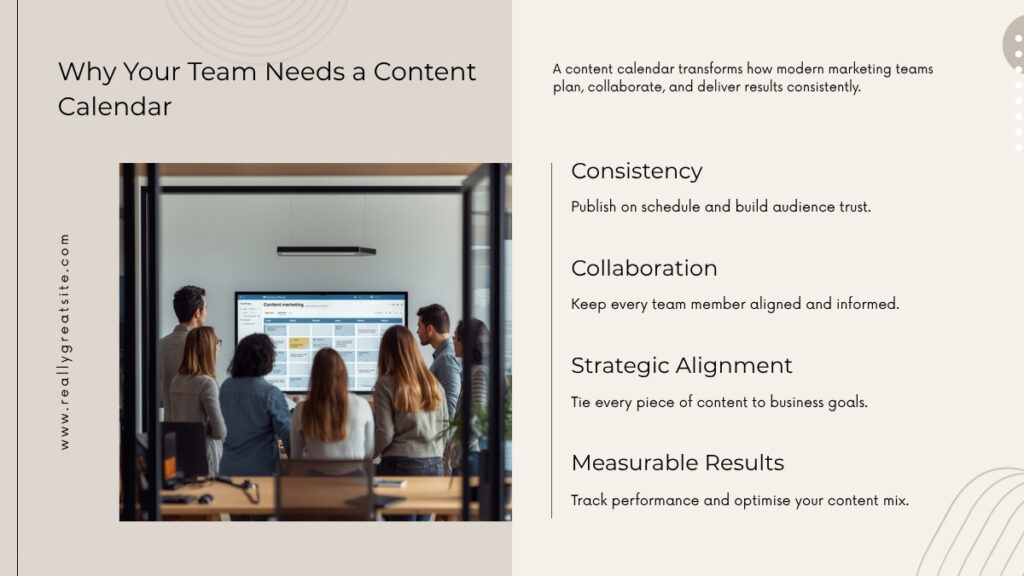
Why Your Team Needs a Content Calendar
Consistency You Can Actually Maintain
A content calendar is one of the simplest ways to move from sporadic content to a steady, reliable presence. Research from industry benchmark reports consistently shows that marketers with documented strategies and planning processes are more likely to describe their content marketing as effective. A documented calendar is a core part of that documentation.
Without a calendar, publishing often happens in bursts: you post heavily during a campaign, then go quiet for weeks. With a calendar, you commit to a realistic cadence—maybe a weekly blog post, a monthly webinar, and a regular social schedule—and you can see whether you’re sticking to it. Over time, that visible consistency helps your audience recognise you, trust you, and remember you.
Better Collaboration and Fewer Dropped Balls
As soon as more than one person touches your content, coordination becomes a risk. A content calendar reduces that risk by making responsibilities explicit. On a typical day, your team might use the calendar to see which pieces are due this week, check who owns the next blog post or video, confirm what’s waiting for review, and track which items have already been scheduled.
Instead of chasing status updates across tools, your content manager can open the calendar and see the whole pipeline. New team members can do the same to understand how work flows and where they fit in, which shortens onboarding time and reduces confusion.
Stronger Alignment with Campaigns and Business Goals
A content calendar also keeps content from drifting away from your actual business priorities. When you line up your planned content against launches, events, sales cycles, and seasonal moments, you can quickly see whether you are supporting those moments effectively.
For example, you might use your calendar to schedule educational posts leading up to a new product release, coordinate blog content and social posts around a conference you’re attending, or ensure each regional team has content ready for key local dates. Teams that use calendars this way tend to get more from their campaigns because each piece of content has a clear role in warming up, educating, or nudging the audience towards a specific outcome.
What Should a Content Calendar Include?
Essential Fields Every Calendar Needs
A good content calendar balances simplicity and usefulness. You want enough detail to manage your work, but not so much that the calendar becomes a chore to update. At a minimum, it should track:
Publish date – When the content will go live.
Internal deadline – When the final version must be ready for scheduling.
Content title or topic – A working title or clear description of the idea.
With just these fields, a solo creator, a small business, or a lean marketing team can manage a clear schedule and keep work moving.
Advanced Fields for SEO and Performance Tracking
If you want your calendar to do more than hold dates, it’s worth adding a few more columns that connect planning to performance:
Target keyword or topic cluster – The main search term or topic you want this piece to rank for or support.
Search intent – Why someone would search for this topic (informational, comparison, transactional, navigational).
Target URL – The actual or planned URL, especially for blog posts and landing pages.
Campaign or initiative – The wider campaign or project this content belongs to.
Funnel stage – Whether the piece is aimed at awareness, consideration, decision, or retention.
Primary CTA – The single main action you want the audience to take.
Performance notes – A place to record key metrics or lessons after the content has been live for a while.
These fields give you a way to look back and see not just what you published, but why you published it and how it performed. That’s essential if you want your calendar to drive continuous improvement, not just activity.
How to Create a Content Calendar in 5 Steps
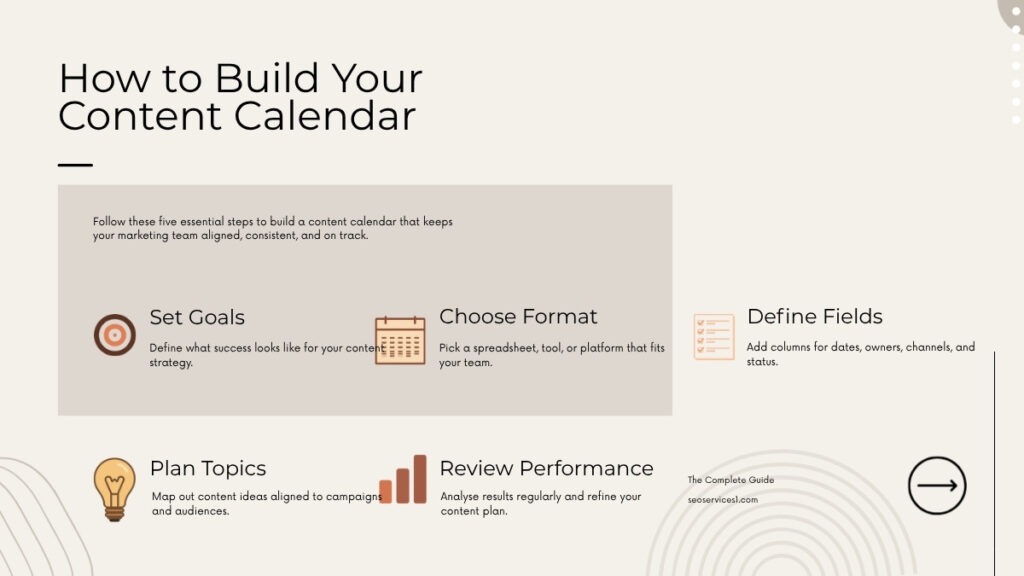
Step 1: Clarify Your Goals and Channels
Before you start building columns and colouring cells, pause and define what you’re trying to achieve. Ask what your most important business goals are over the next quarter or two, which audiences you are targeting, and which channels you can realistically commit to, given your team size and skills.
A solo creator might decide to focus on a weekly YouTube video plus two supporting social posts per week. A small B2B company might choose a weekly blog post, a monthly webinar, and regular LinkedIn content. The calendar you build should reflect these priorities, not a wish list of every possible channel.
Step 2: Choose Your Content Calendar Format or Tool
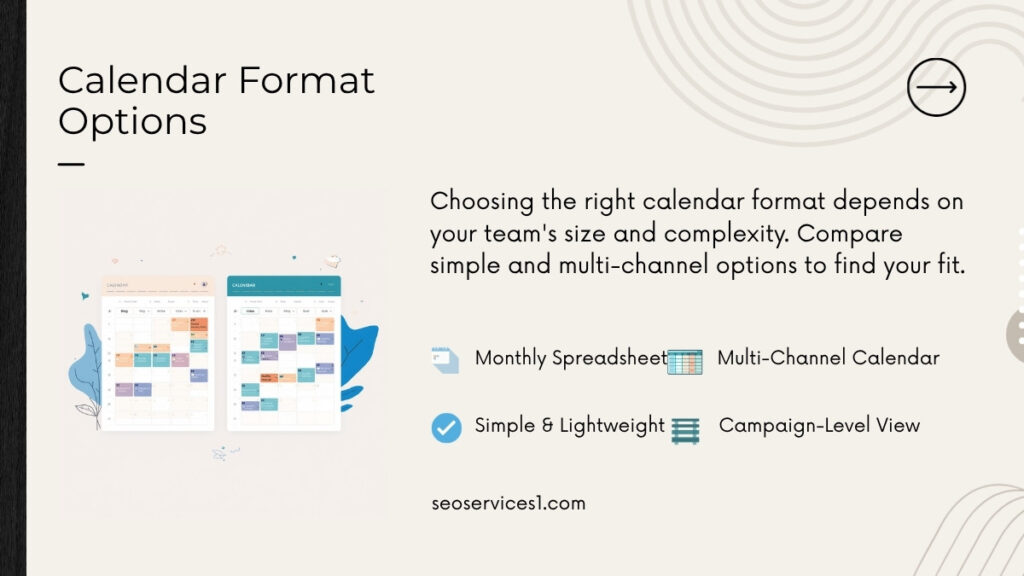
You don’t need sophisticated software to have a powerful calendar. The key is to choose a format your team will actually keep updated:
Spreadsheets are ideal for individuals and compact teams. You have full control over columns, can filter by owner or channel, and everyone understands how to use them.
Project management boards are useful when you want to see content as tasks moving through stages. Each piece appears as a card in a column such as “Drafting” or “In Review”, which works well in stand‑ups and weekly check‑ins.
Dedicated content and marketing platforms add structure on top—combining calendars, task lists, approvals, and sometimes analytics. They make sense when you are orchestrating many channels and stakeholders at once.
Many teams start with a spreadsheet while they refine their process. Once they’re confident in the structure and workflow, they replicate that logic inside a more advanced tool.
Step 3: Set Up Your Fields, Workflow, and Statuses
With a format chosen, design your calendar’s backbone by adding the essential fields and any advanced fields you know you’ll use. Decide which statuses match your real workflow and document what each status means and who is allowed to move items between them.
A clear workflow might look like: Idea → Approved idea → Assigned → Drafting → In review → Approved → Scheduled → Published. A clear workflow means everyone knows when to pick something up, when to pass it on, and what “done” looks like. A vague workflow leads to cards sitting in “In progress” for weeks without anyone noticing.
Step 4: Plan Topics, Assign Owners, and Set Deadlines
Now you can start putting content into the system. Brainstorm topics based on your content plan, keyword research, and upcoming campaigns, then spread those topics across your calendar so you have a balanced mix of formats and channels each week. Assign each item to an owner and set a realistic internal deadline ahead of the public publish date.
In small organisations, this might happen in a single monthly planning meeting. In larger teams, topic ideas can be submitted continuously, then prioritised and scheduled during regular editorial meetings. The important part is that nothing enters the calendar without an owner and a target date.
Step 5: Schedule, Publish, and Review Regularly
Once items are in the calendar, the work shifts from planning to execution and review. Creators and editors work from the calendar to see what they owe and by when, channel owners schedule approved content in the relevant tools, and the content manager reviews the calendar weekly to catch bottlenecks and re‑prioritise if needed.
On a monthly or quarterly basis, teams sit down with performance data and the calendar side‑by‑side. They look at which topics, formats, or channels delivered the strongest results and which underperformed. That evaluation shapes the next cycle of calendar planning, so each iteration is better informed than the last.
Content Calendar Formats and Tools
Spreadsheets: A Solid Starting Point
For solo creators and small teams, a spreadsheet‑based content calendar is often the most practical solution. You can lay out a month or quarter in rows, add columns for all your key fields, and create filters or colour‑coding for channels, owners, or campaigns.
For example, a small agency might keep one tab per month with rows for each content piece across all channels. Blog posts might be highlighted in one colour, email campaigns in another, and social posts in a third. This visual layer helps scanning, but the underlying structure—dates, topics, owners, statuses—remains the same.
Project Management Boards: Visual Workflows in Motion
If you already use project management boards for other work, extending them to your content makes a lot of sense. Each card is a planned piece of content and moves left‑to‑right as it progresses. You might also tag cards by channel or campaign.
During weekly stand‑ups, the team walks the board column by column, asking what’s stuck in “In review”, which items they need to move into “Drafting” this week, and whether they have enough content scheduled for next week’s dates. This approach is particularly helpful for creative teams that juggle multiple dependencies on each piece.
Dedicated Content and Marketing Platforms
As your publishing volume or team size grows, dedicated platforms can save time by bringing more of the workflow into one place. You might see features like calendar and board views linked together, task assignment with due dates and reminders, approval workflows with clear sign‑off steps, asset libraries where finished content lives, and high‑level dashboards showing how much content is scheduled and where gaps exist.
Regardless of tool, the principles of a good content calendar don’t change. The software simply makes it easier to manage the complexity and keep everyone aligned.
Content Calendar Examples for Different Team Sizes
Example 1: Basic Monthly Calendar for a Small Business
Consider a small consulting firm with no dedicated marketing team. One person handles most marketing alongside their main role. They decide to publish one blog post every two weeks, send one newsletter per month, and share two LinkedIn posts per week.
Their simple spreadsheet calendar for April could include entries such as:
4 April – Blog – “What Is a Content Calendar and How It Keeps You Consistent” – Channel: Blog – Owner: Alex – Status: Drafting – Goal: educate and attract leads.
5 April – LinkedIn – Short summary of the blog with a link – Owner: Alex – Status: Idea – Goal: drive blog traffic.
18 April – Blog – “How We Plan a Month of Content in One Afternoon” – Channel: Blog – Owner: Alex – Status: Briefed – Goal: demonstrate expertise.
25 April – Newsletter – “April Round‑Up: Our Latest Articles and Tips” – Channel: Email – Owner: Alex – Status: In review – Goal: nurture subscribers.
Alex looks at this calendar once or twice a week to confirm what’s next, update statuses, and decide whether any piece needs to be moved or swapped. That 10–15‑minute check‑in keeps the whole month under control.
Example 2: Weekly Social Media Content Calendar
Now imagine a brand where social media is the primary way they reach customers. They publish daily Instagram posts, three LinkedIn posts each week, and several short‑form videos across TikTok and YouTube Shorts.
A weekly social calendar might track:
Date and time
Platform
Format (image, carousel, reel, short video, story)
Monday 09:00 – Instagram – Carousel – “3 quick content planning tips” – Owner: Social team – Status: Scheduled.
Tuesday 11:00 – LinkedIn – Text post – “How our content calendar reduces last‑minute panic” – Owner: Marketing manager – Status: In review.
Thursday 16:00 – TikTok – Short video – “A day in the life of our content manager” – Owner: Video team – Status: Drafting.
In their daily huddle, the social team pulls up this calendar view to confirm which posts are ready, which still need creative or approval, and what’s planned for the days ahead.
Example 3: Multi‑Channel Campaign Calendar
Finally, picture a mid‑sized tech company preparing a major feature launch. They want to coordinate activity across website announcements, product marketing emails, paid and organic social, a launch webinar, and follow‑up case study content.
Their campaign calendar might be a filtered view of the main calendar showing only assets tagged “Q3 Feature Launch”. Each row or card would include:
Channel: blog, website, email, LinkedIn, YouTube, paid social, etc.
Region or language (if needed)
Owner and approvers
Planned publish date
Funnel stage and CTA (e.g., sign up for webinar, start free trial)
Cross‑functional launch meetings revolve around this calendar. Instead of each team presenting separate lists, everyone looks at the same schedule and can adjust timing, messages, and responsibilities together.
Advanced Use Cases: SEO, Analytics, AI, and Distributed Teams
Connecting Your Content Calendar to SEO Strategy
A content calendar becomes much more valuable when it reflects your SEO priorities rather than just your ideas of the moment. To do that, teams often build topic lists from keyword research and group them into clusters, assign each calendar item a primary keyword and search intent, and note which “pillar” pages each blog post will support with internal links.
If you add this information into your calendar, you can quickly see whether the next month of content is balanced across your priority themes or overly focused on just one. Over time, that balance helps search engines understand your site’s topical authority and helps users find answers across related posts.
Using Your Calendar to Review Performance and Optimise
Clear planning only gets you so far; the other half of the equation is learning from what you’ve already shipped. A simple recurring review might include pulling basic metrics for each piece published in the last month or quarter, logging “top performers” and “underperformers” in the performance notes column, and asking why certain topics, formats, or channels worked better than others.
Perhaps you discover that how‑to tutorials outperform opinion pieces, or that webinars drive more qualified opportunities than some other formats. You then use that insight to shape future calendar entries—shifting your mix toward what delivers tangible results, not just what sounds interesting.
Planning with Global and Remote Teams
For global and remote teams, a well‑managed content calendar is often the only way to keep everyone moving in the same direction. Teams use it to coordinate content around regional holidays and peak times, clarify when global campaigns should go live in each market, and manage translation or localisation as separate tasks that sit alongside the original asset.
For example, a global calendar might show a main English announcement going live on one date, with translated versions staggered slightly to account for review cycles in other regions. A column for “Region/Language” and one for “Time zone” helps avoid misunderstandings and late‑night surprises.
How AI Can Help You Maintain and Improve Your Content Calendar
AI tools are increasingly part of day‑to‑day content planning. Used thoughtfully, they can suggest topic ideas based on themes, questions, or keyword lists, group those topics into logical series or campaigns, generate first‑draft outlines or brief structures for items already on your calendar, and highlight potential gaps where you haven’t covered important subtopics.
Teams then review these suggestions, discard what doesn’t fit their brand, and adapt the rest. The content calendar acts as the filter that turns a long list of AI‑generated ideas into a realistic, prioritised schedule aligned with your strategy and capacity.
Image Description: A global marketing team collaborating via video call, with a shared content calendar, analytics charts, and AI assistant icons on a large screen.
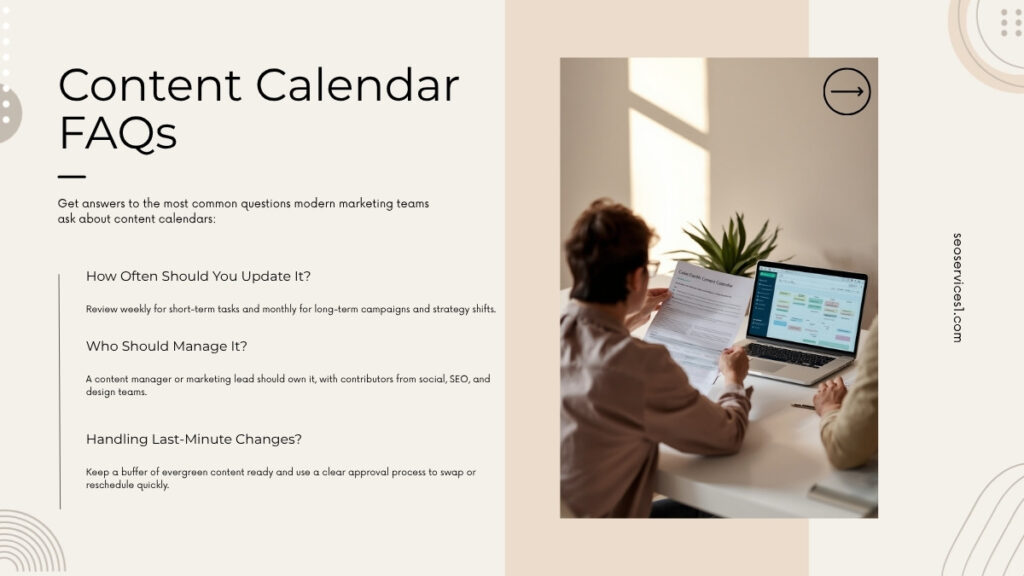
Frequently Asked Questions About Content Calendars
1. What is a content calendar in marketing?
In marketing, a content calendar is a shared schedule that shows which content you plan to publish, where it will appear, and when it is due to go live. It gives structure to your blogs, emails, social posts, videos, and other content so they work together instead of being created in isolation.
2. How is a content calendar different from an editorial calendar?
A content calendar focuses on individual assets and their publish dates, while an editorial calendar focuses on the broader themes, topics, and campaigns you’ll cover over months or quarters. The editorial calendar sets direction; the content calendar handles the day‑to‑day execution.
3. How far ahead should I plan my content calendar?
Many teams find a four‑ to eight‑week detailed view works well, supported by a higher‑level view of the next quarter or two. That combination gives you enough structure to stay consistent while still allowing room to react to news, opportunities, or internal changes.
4. Who should own and update the content calendar?
Ownership typically sits with a content manager, marketing manager, or managing editor. That person coordinates inputs, checks that deadlines are realistic, and ensures statuses are up to date. Individual creators and channel owners are responsible for updating their own items so the calendar reflects reality, not just the original plan.
5. Can I manage my content calendar in Excel or Google Sheets?
Yes. Many organisations, from solo consultants to growing teams, run very effective calendars in spreadsheets, especially in the early stages. As your needs expand—more channels, more regions, more approvals—you might look to project boards or dedicated platforms, but a well‑structured spreadsheet remains a reliable option.
6. How often should I review and adjust my content calendar?
It’s helpful to have two rhythms: a brief weekly check to confirm what’s on deck and resolve any bottlenecks, and a deeper monthly or quarterly review that looks at performance data. The weekly check keeps execution on track; the broader review shapes what you plan next.
7. How do I include SEO in my content calendar?
To integrate SEO, add fields for target keyword, search intent, and target URL. Make it standard practice that no SEO‑relevant piece enters the calendar without filling in those fields. Over time, this habit ensures your content supports your overall search strategy rather than focusing only on short‑term campaign ideas.
8. How can AI tools help me plan and maintain a content calendar?
AI tools can make planning faster by generating lists of ideas, suggesting related topics, and drafting outlines. They can also help you spot topics you haven’t covered around a particular theme. Even so, you still need a human to decide priority, timing, and suitability, and to keep the calendar realistic for your team.
How SEOSERVICES1 Can Help You Build and Run a Strategic Content Calendar
A content calendar is where strategy, creativity, and execution meet. When it’s done well, it turns high‑level marketing goals into a steady stream of useful content your audience actually sees. When it’s done poorly, it becomes a messy spreadsheet that everyone quietly ignores.
SEOSERVICES1 focuses on the first outcome. We help you translate your business and SEO strategy into clear themes and topic clusters, design a calendar structure that fits your people, channels, and tools, and consistently fill that calendar with content that is both search‑informed and conversion‑focused.
Whether you are a solo marketer trying to get organised, a small team ready to scale output, or a larger organisation struggling to align multiple channels and regions, SEOSERVICES1 can help you turn your content calendar into a practical engine for growth—not just a list of dates and titles.
Senior Search Strategist specializing in SEO, AEO, and Generative Engine Optimization (GEO). With over a decade of experience, Rick helps brands and applications (ASO) maximize their visibility across traditional search engines, AI answer engines, and app stores.